
Find your one to keep
Pianke, your AI culling and delivery assistant. Find the moments worth keeping in every shoot. Spend less time searching and more time photographing and creating.
Slide a little. Do less.
From a hundred photos to twenty, then ready to share with your signature.





Drag to try culling 100 photos down to 20
Interactive demo · 80 filtered out, 20 kept. Your originals are never deleted.
From culling to delivery

A first pass, then your final say
AI suggestions. Your final choice.

Find everyone's best moments
Browse by person, with less searching

See the difference. Keep the feeling.
Compare similar shots side by side

Selected. Ready to deliver.
Watermarks, borders and batch compression
Everyday culling, from a photographer's perspectiveIllustrative copy · not real customer reviews

After a wedding, comparing similar shots takes the most time. I want photos from the same part of the day together, so I can take my time looking at expressions. An orderly culling process lets me focus on the moments that matter instead of searching folders again and again.

Putting similar photos side by side makes subtle changes in expression easier to see. I want to decide which one stays.

In family photography, everyone's expression matters to me. Browsing by person helps me notice moments that might otherwise be overlooked.

I like to start with suggestions, then review carefully. Being able to recover a photo I love, even when it wasn't recommended, fits the way I work.

Every shoot includes many people and stories. I want to organize people and similar shots first, then decide which photos tell a story together. Let the tool handle the grouping, and let me focus on how the images relate. Every delivery should still reflect the photographer's judgment.

After selecting photos, there are still watermarks, borders and compression to do. Completing these in the same workflow would make delivery preparation much easier.

My originals stay on my computer, and I can review offline once culling is complete. That gives me room to work at my own pace.

A tool can help with a first pass, but it shouldn't define a good photo for me. I want to keep images that are less conventional but full of feeling. Give me suggestions, then let me decide photo by photo. That's how I hope AI culling can help photographers.
Made for every kind of shoot
 Portrait photography
 Portrait photography
 Family photography
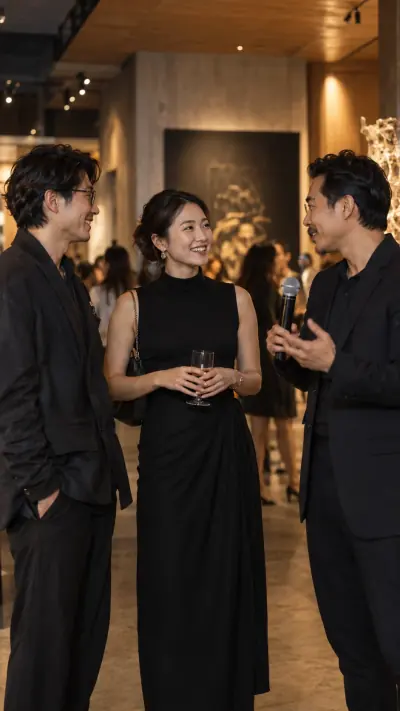 Event photographyPortrait photographyPortrait photography
Pianke · Journal
A more organized way to cull a wedding

Start by organizing the day into preparation, ceremony and group portraits, then compare similar shots. Focus on expressions and the story, giving every important moment a place.
When you love both shots, compare more clearly
Expressions, poses and details often reveal themselves in the small differences between two photos. View them together and choose the one that best expresses what this set is about.
Start with one person. Find their best moments.
Families, weddings and events include many people worth noticing. Browsing by person means less searching and more attention for everyone.
Get your selected photos ready to deliver
Selecting photos isn't the end of the job. Add watermarks and borders, then compress a batch to suit its destination. Move your work from your computer to your client.
Good photos
deserve to stay
Focus on the shoot. Let Pianke help with the cull.

With you through your photography workflow
 Smart cullingPeople groupingSide-by-side comparisonLocal originalsYour own reviewPhoto watermarksCreative bordersBatch compression
Frequently asked questions
Pianke helps you find the photos worth keeping from a complete shoot. Browse by person, compare similar moments, adjust your choices, then prepare delivery with watermarks, borders and batch compression. Available for Mac and Windows.
Need help? Talk to Pianke
From importing photos to final delivery, Pianke keeps improving around photographers' everyday work. If you run into a problem or have an idea, contact us on WeChat or by email, or send feedback in the app.